 University of North Texas

Computer Science
Resaurant Inventory
Team Name
Focal Point
Team Members
Wayne Wong
Jacob Kizhazeparampil
Ching Kwan Yeung
Satender Yadav
Abstract
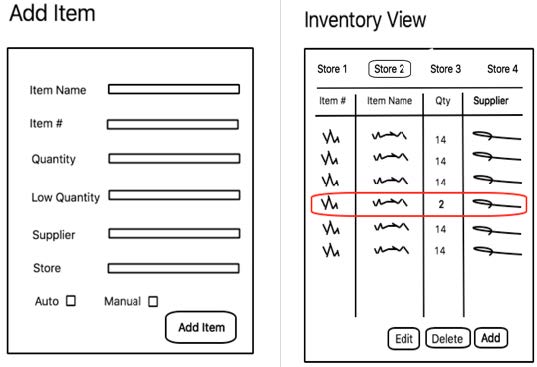
We will be creating a web-based application that handles the inventory of any restaurant. At first, business owners will be able to add their restaurant and suppliers. Furthermore, they will be also able to add items to their inventory, and each item will be linked to a specific supplier. There will be a feature that alerts the user when their items are “low” in quantity, allowing them to order more before they run out. Each individual item will have a different “low quantity” that users will have to set prior to adding to their inventory list. Any item that is low will automatically be marked in red. Additionally, there will be a feature that allows users to send an email to the supplier manually, unless the item is set to automatically notify the supplier once it’s low by sending an automated email. Users can also view the purchase history, track sales, and item popularity displayed as a graph or chart. When items arrive, users can confirm their order and the program will then update the user’s inventory list with the newest quantity. Users can also see the top 10 items that have been ordered the most, to identify what is popular among customers.
Game Controller Capturing Device
Team Name
Bowie
Team Members
Matthew “Phil” Escobedo
Alexandra Woods
Johnathan Morgan
Sponsor
Dr. Parsons
Program/ Department
CSCE/Psychology
Abstract
We need a way to capture output from a game controller and/or steering wheel. One route to this goal would be to use a raspberry pi or similar hardware to build an embedded system that can act as a bypass for a USB controller.
The device needs to read input from the game controller and pass it on to a computer that is running a simulation (e.g., videogame, virtual environment).
Simultaneously the data from the controller needs to be output via an Ethernet port to another computer—on which a program records with a timestamp which button was pushed on the controller.
The Stryker Media Engine (SME)
Team Name
Mediamancer
Team Members
Dan Biwer
Tommy Conto
Dustin Eaton
Sponsor
Stryker Communications
Abstract
Stryker® is one of the leading providers of technology solutions for the medical field. The Stryker Media Engine (SME) was created as an addition to Stryker’s media management system to assist hospitals and medical professionals in modifying media. SME is a RESTful API that allows users to edit, convert, and annotate different forms of media. It was built in Node.js using the Express framework, making requests fast and easy. This, in conjunction with Stryker’s Studio 3 archiving capabilities, will provide a simple interface for the following services:
- Converting videos and images to different resolutions, formats, and bitrates
- Merging video files of different formats
- Cutting and splicing video files
- Burning annotations onto image files
Home Room - A Web-Based Teaching and Tutoring Tool
Team Name
Omelet Whispers
Team Members
Chad Smith
Thomas Lee
Wade Powers
Abstract
Home Room will be a web-based teaching and tutoring tool designed to help teachers communicate assignments, offer guidance, and administer tests and quizzes to their students. Students will be able to complete and upload assignments to the website for grading and review. Parents will be able to take a hands on role in their child’s education by monitoring assignment progress and communicating with their child’s teacher. We envision this website to be utilized by professional, private tutors, and large school districts with a high number of students in the 3rd Grade through High School age group.
Nova Elite
Team Name
Nova Elite
Team Members
Jason Hoang
Imran Akhtar
Kai-Chuan Chan
Sabrin Thamed
Abstract
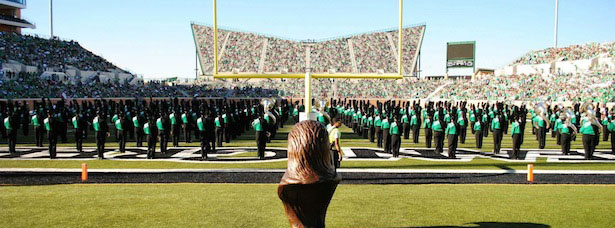
This project consists of a teacher app and student apps that communicate directly with each other, giving the teacher the ability to guide the students who spread across the marching field/rehearsal room via a single device and allowing students to ask questions and take notes with ease. The program will focus on compiling all of the paperwork, sheet music, and coordinate sheets involved with students learning, rehearsing, and performing a marching band show onto their own personal devices and tablets. This will make the process of teaching easier and help the students stay organized with all of their papers. All apps will also have access to vital learning tools for a performing ensemble so that the students can practice with the app on their own. These apps will be designed for marching bands across the United States, but they can be adjusted to satisfy other indoor rehearsals for any type of ensemble.
Software to Extend Cortana Functionality
Team Name
UNSC
Team Members
Charlie Pipes
Matthew Hermes
Abstract
With the introduction of Windows 10, Microsoft has included a voice “companion” called Cortana. Cortana has a function that allows you to open an app/program by simply uttering the phrase “Hey Cortana, Open <program/app name>”. However, this functionality is very limited as Cortana will only open programs and apps that have embedded this functionality in their software or those that are created by Microsoft. Many programs are excluded from this function as well as common folders in Windows 10.
Our proposal is to create a piece of software that will allow Cortana to open and close any App, Program, Drive, or File on your computer with the “Hey Cortana” voice command. The software would allow the user to input the file path and then allow the user to give their program a name so that Cortana knows what the file is called.
We want to include a CPC History functionality would be to allow the user to see what has been changed as well as revert any changes made.
There is a degree of flexibility to allowing the user to call a program whatever they wish. For instance, Skype could be called “Skype” or if there are conflicts with that word then you could use something as arbitrary as “Apples”.
There are a few extra functionalities we would like to implement such as opening multiple programs at once or simply closing files using a voice command. These extra features would apply to all programs and files as well.
The customer base for this project is rather vast. Any person that uses Cortana will be able to use this program. Windows is a common OS that many people use and the use of this application allows Cortana to be used to her fullest extent.
“Smart” Mirror
Team Name
Team Pudding
Team Members
Charles Alan Macon
Jordan Sanders
Hunter Ross
Abstract
We are creating a “smart” mirror that uses a monitor behind a one-way mirror to display various types of information including the time, weather, RSS feeds, and greetings. It will also include useful features such as a motion sensor night light, automatic screen shut off, and built in music player functions.
To keep costs low, we will be using a raspberry pi for the internal computer and cheap sensors available for the platform. The monitor will be housed inside a custom wooden frame with a two way mirror placed above the screen panel. All necessary materials will be provided by Jordan.
This is the first draft feature list:
- Weather Display with image/animation
- Digital/Analog Clock
- Greeting messages based on time with user's name
- RSS Feed chosen by user
- Have Pandora music capabilities
- A motion sensor for screen on/off
- Light sensor with and LED for temporary night light
- Picture display for comparison (Hairstyle, makeup, etc.)
- A power button
- Air Play Mouse support for iPhone and android so a user could configure the mirror (Login to Pandora, select station, move UI elements)
- Startup animation
- Pause and play button for music
Next Pump
Team Name
Pump You Up
Team Members
Christian Schwartz
Jacob Donnelly
Abstract
Next Pump is a mobile sharing application where users have the ability to build and find workout playlists. The aim of this project is not only to help new users easily find workout routines, but also set up a community where users are able to share their fitness knowledge. It will help new users find a place to start and stick to routines that have been proven to work. It will also allow more experienced users to find new workouts to keep them engaged. Users will be able to build workout routines by selecting exercises which will be organized by muscle groups and target area. If an exercise cannot be found the user has the ability to create their own and share it with the Next Pump community. User can then build a schedule in order to plan out their activity. Next Pump is a social application, if someone has no idea where to start they can find preset workout routines others have shared or simply discover new exercises. Once a workout has built users can save it for later use as well as share the entire workout or individual exercises to others.
Breadcrumbs
Team Name
Breadcrumbs
Team Members
Zachary Serna
Manuel Vargas
Bereket Teweldebrhan
Loc Huynh
Abstract
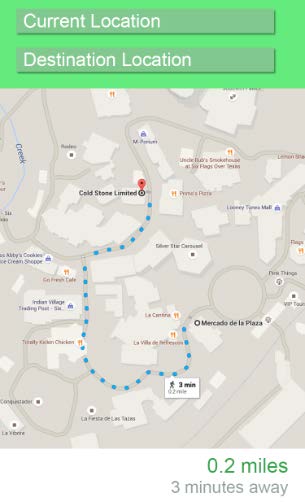
This application is an android mobile program that creates a map of walkable locations that services like Google Maps have not charted before such as campuses, theme parks, etc. Once these places have been charted, the application can provide paths from location to location to anyone who visits the previously mapped area.
The application will utilize the mobile phone location to create paths that users can submit; using graph theory, paths will eventually be built to create a working map of the locations. Once these maps have been built, our algorithm will find the shortest walkable distance and help the user arrive at their destination.
Project Twenty
Team Name
Twenty
Team Members
Philip Bright
Danny Stieben
Brian Mauldin
Sponsor
David Keathly
Abstract
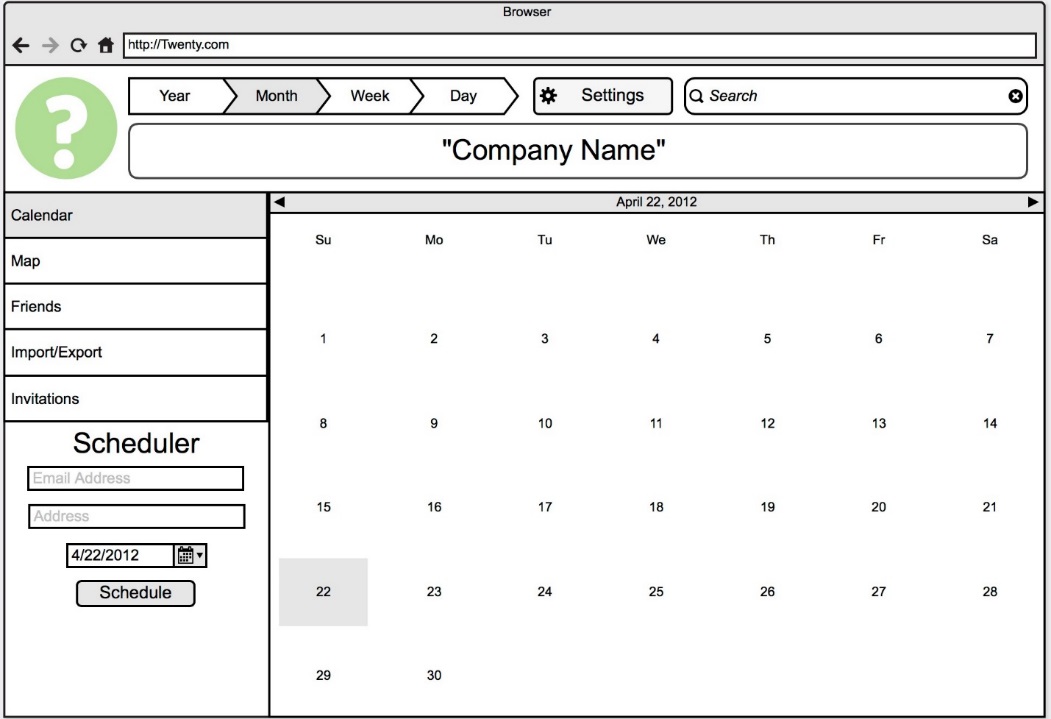
Project Twenty is the calendar of social media. Users can put all their work, events, classes, and all other schedules into the calendar with the address of each event. Using Twenty to schedule appointments at the doctor’s office is a breeze, instead of going through several dates/times to find the one that works patients just give their calendar ID or login information to the receptionist and Twenty will calculate all the times they are available to come in. Since it includes addresses it will calculate drive time, including traffic calculated by Google. When the receptionist books the appointment it puts it straight on the patient’s calendar and their set. This is just one of the many scenarios where Twenty makes troublesome scheduling a thing of the past.
The Tutors
Team Name
The Tutors
Team Members
Erika Gutierrez
Scott McKeefer
Paul Yapobi
George Ndede
Christopher Cruz.
Sponsor
The Gideon Foundation
Abstract
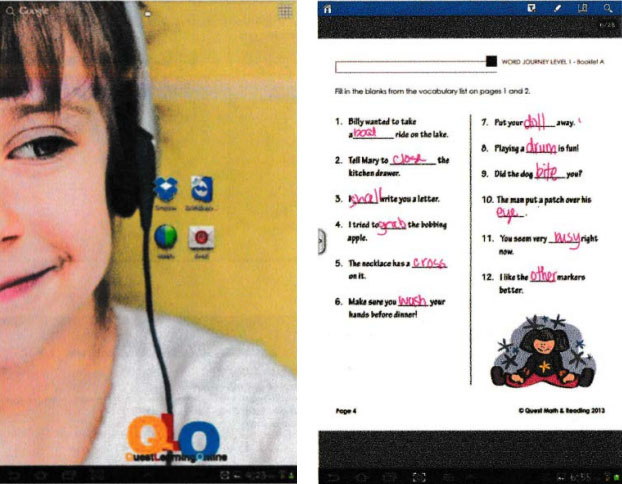
The Gideon Foundation is a community based organization that involves parents and their children in advancing both reading and math skills so that children are prepared to enter college or the job market. The goal is to help the students by not only offering specific skills building exercises, but also to give parents and their child achievable work sessions that serve as a guide for efficient use of study time. The Foundation provides a safe after school program to children and young people in our community especially to those families are not able to pay for the services.
Our job is to design a web application where users students can get access to the instructor through tablets provided by the Gideon Foundation. The application will provide live sessions with instructors, share screen to monitor activity progress and student progress report elaboration that will help instructors when presenting to the parents the students progress over time.
EnGen
Team Name
Closed Loop
Team Members
Addison Mink
Jackson Kelley
Sponsor
David Keathly
Abstract
EnGen makes every adventurers' job easier. Using the standard system and guidelines of Dungeons & Dragons 5th edition, EnGen allows users to produce procedurally generated encounters. Encounters can be generated using user made content or by downloading opensource material made by the D&D community. User made content will include: Monsters, environments, loot, and room types. Allowing Dungeon Masters to fully customize the generated encounter, and help in making it a fun and unique experience.
Cloud Control
Team Name
Cloud Control
Team Members
Jacob Pebworth
Luis Alvarez
Abstract
Our client has asked for a website that utilizes an inventory database to set items on the site as sold out or in stock. We have decided on using the MVC 6 and Azure services to deliver a website that is able to be used long-term and with plenty of scalability. Our plan has plenty of room for expansion of functionality and appearances.
Maker’s Board
Team Name
The Absolutists
Team Members
Travis Allan
Chris Fitch
Ian Henderson
Abstract
For our project, Maker’s Board, we felt inspired to create an online community and marketplace for artists and art enthusiasts to share, rate and sell original works. We hope our project will be like an online art gallery or coffee shop where people will gather to share their love for Art. It will be especially beneficial for new artists who are seeking exposure. Our site will focus on community, an intuitive interface, and a secure form of payment (or donation) with PayPal.
Our design incorporates a web-based app with individual accounts, a server database, a search engine, and posting boards with different categories. Users will be able to upload works, complete with a description, price, and location. Users will be able to rate and review other user’s artwork. Pieces can be listed as “for sale,” while others could be simply uploaded to receive feedback from the community. The site will aim to become a cultural hub for artists.